Tabdial

Your favorite websites on every new tab.

Tabdial is a browser extension that replaces the new tab page with a visual speed dial: your sites as tiles, organized into groups.

Using another browser? Get Tabdial for Microsoft Edge or Firefox.

Tabdial runs in Chrome, Edge and Firefox on a computer. Open this page there to install it.

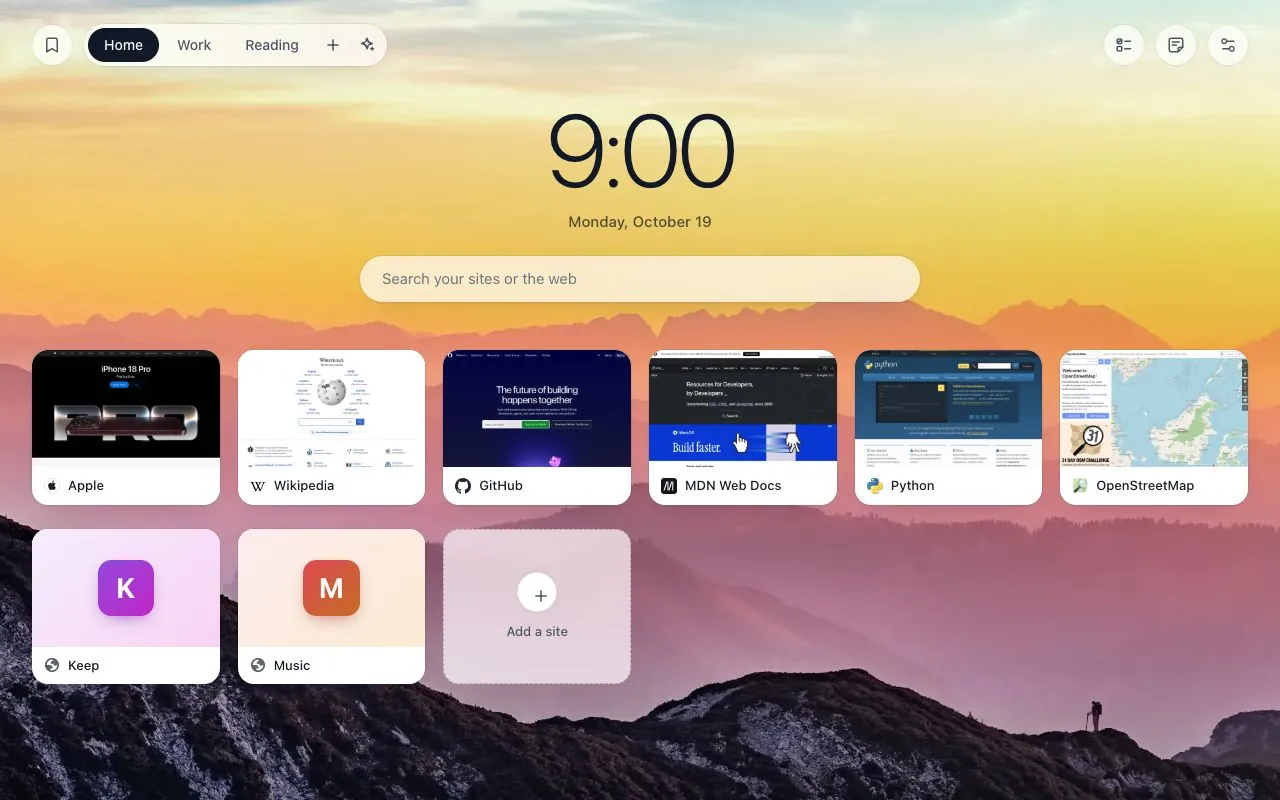
The Tabdial new tab page: group names and the Sort button at the top left, Settings at the top right, the clock, and the dials of the Home group.
Tabdial in action

What Tabdial does

Everything below is free, with no limit on dials or groups. Our promise: what is free today stays free, and any paid extras will be a one-time purchase, never a subscription.

Never lose your dials

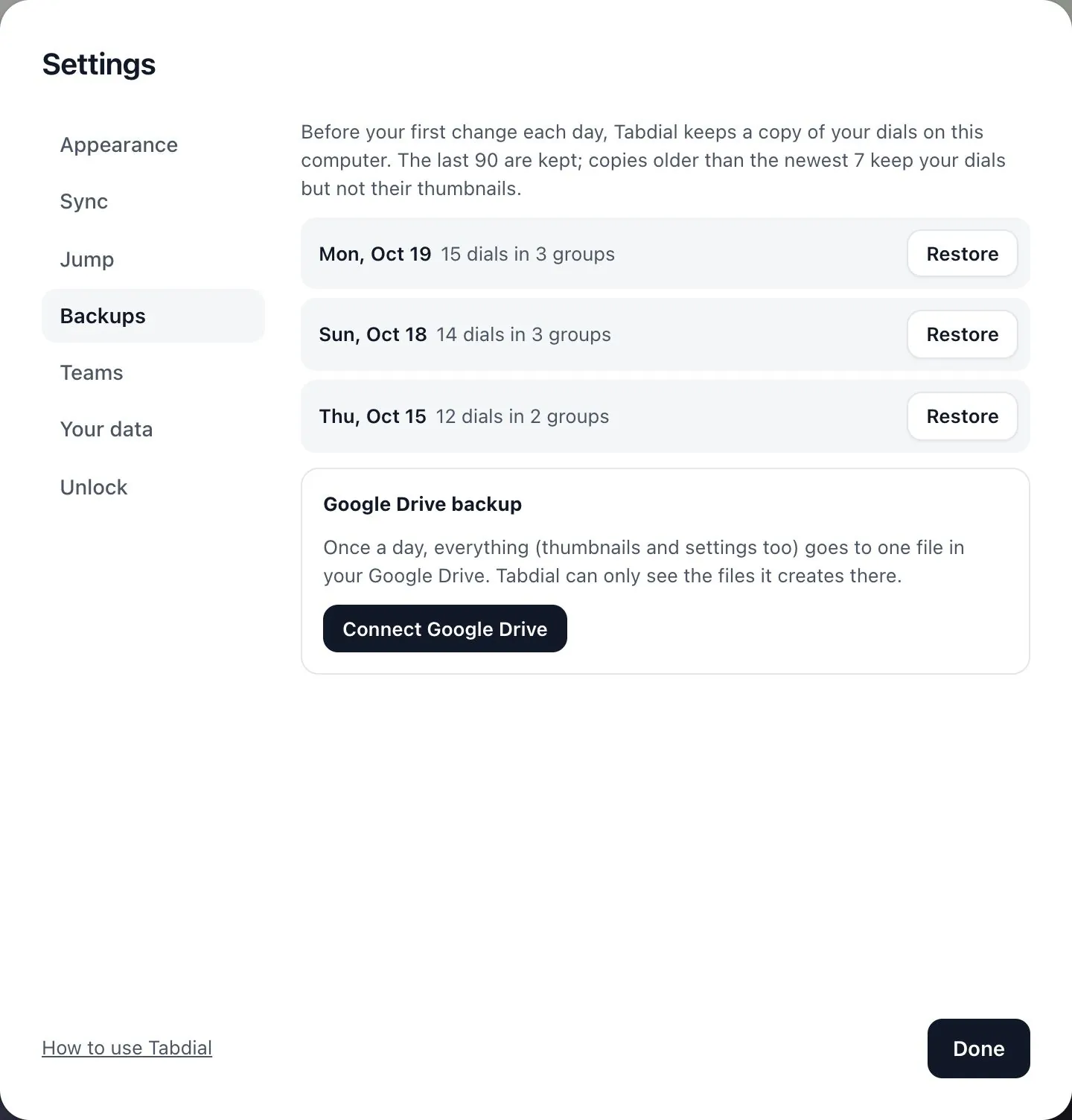
Tabdial keeps a copy of your dials from each of the last 90 days you made changes. Restore one in a click, and undo the restore if you change your mind. A daily backup to your own Google Drive brings everything back on a new computer. How it works

Backups in Settings: daily copies with a Restore button each, and below them Google Drive backup.

Your own look

Upload a thumbnail or paste an image link for any dial. Pick one of eight built-in photos, a color or your own image as the background, and choose how many dials fit in a row.

Folders

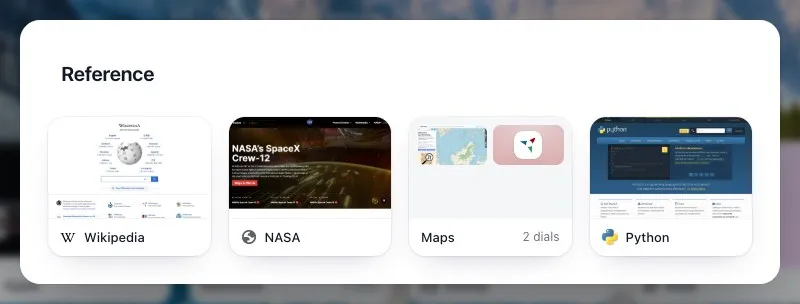
Drop one site on another to make a folder, and keep related sites together inside a group. Folders can hold folders, and search and Jump still find every site in them.

An open folder named Reference with four dials: Wikipedia, NASA, a folder called Maps with 2 dials, and Python.

Board layout

Prefer cards to a grid? In Settings › Appearance › Layout, choose Board: each folder of a group opens as a card, and the sites outside folders share a card of their own. Show a card as icons or as a list.

Jump from the address bar

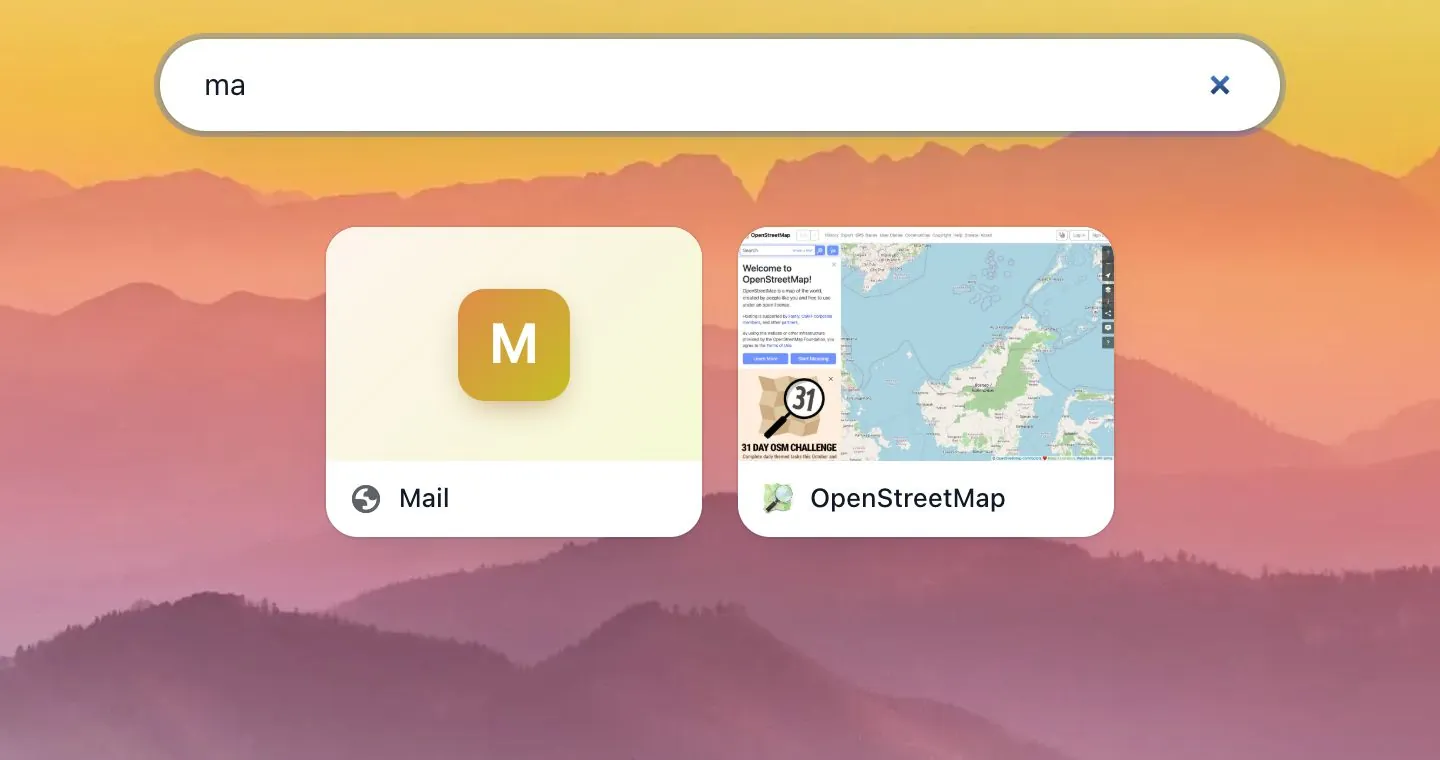
Type z, a space and a few words of a site's address or title, and press Enter. Tabdial opens the dial you visit most, or any page in your history if you allow it.

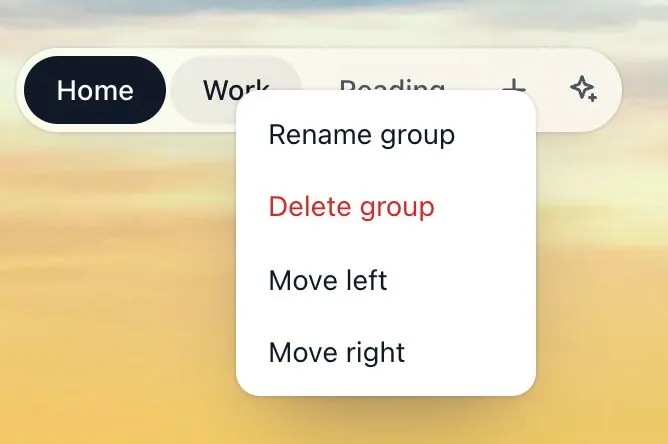
A group's right-click menu, with Rename group, Delete group, Move left and Move right.

Groups

Keep home, work and reading sites apart. Switch groups with one click, and rename one by double-clicking it.

In your language

Tabdial speaks English, 简体中文, 日本語, Deutsch, Français, Español, Português and Italiano, following your browser's language.

Same dials everywhere

Your dial list follows you to your other computers through Chrome sync, or Firefox Sync in Firefox. No extra account to create. A sync code keeps it the same between Chrome, Edge and Firefox too. Chrome's own sync doesn't reach Edge or Firefox; for those, use the free sync code in Settings › Sync.

Start in seconds

Add your most visited sites with one click, then arrange them the way you like.

Drag to reorder

Drag dials into the order you want, or drop a dial on a group to move it there.

Add from any page

Click the toolbar button on the page you're reading. Tabdial saves it with a picture of the page as its thumbnail.

Bring your old dials

Moving from another speed dial extension? Import its export and keep your groups and titles, and thumbnails wherever the export includes them. Step by step: from Speed Dial 2, from FVD Speed Dial, from Group Speed Dial, from Speed Dial (speed-dial.net).

Export any time

Save everything to a file for a backup or to move to another computer. Light or dark follows your system, unless you pick one in Settings.

Select several

Click the ☑ button beside the group names, tick dials and folders, then delete or move them together, or put them in a folder.

Bookmarks and history

Open the drawer on the left to find a bookmark or a page from this week and add it as a dial with one click. Optional: your browser asks first, and Tabdial reads them only on this computer.

Notes and to-dos

A notes drawer and a to-do card sit on the new tab page. Both are free and follow you through sync.

Want more? A one-time unlock.

US$9 once, no subscription. Unlock from Settings in Tabdial; one payment covers all your computers, and the teams you create. Not happy? Email us within 30 days for a full refund.

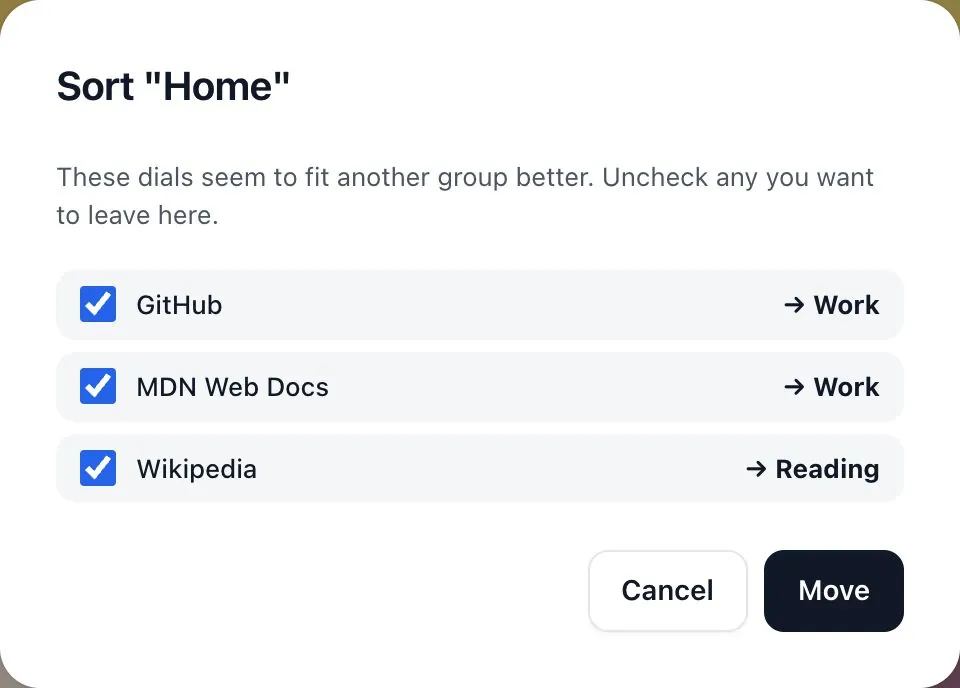
Sort suggestions: each dial with the group it would move to, checked, and a Move button.

Sort a group

Tabdial suggests a better group for each dial in a group. Nothing moves until you confirm. Sort sends that group's site names and titles to an AI service. How it works

Create teams

Give your colleagues the same dials: put your company's sites in team groups that show on everyone's new tab page. Joining is free. How it works

For teams: the same dials for everyone.

No IT department? Put your company's internal sites (issue tracker, wiki, admin panels, HR tools) in team groups, and post the invite link in your team's chat. Creating teams comes with the unlock; joining is free, for everyone, with no account.

One link to join

Colleagues open the invite link, give their name and see the team groups on their new tab page, next to their own groups. Their other computers join through Chrome sync.

Always up to date

An admin's change is published when it's saved, and reaches everyone the next time they open a new tab. Members can copy a team dial into their own groups, but can't change the team's.

We can't read them

Team groups are stored on our website encrypted, with a key that only your team's invite link carries. The site keeps 30 daily copies an admin can go back to. How it works

Five promises.

Tabdial keeps all five today. They are written here so you can hold us to them.

Your links stay yours

No affiliate links, no sponsored sites, and Tabdial never rewrites a link you saved.

No surprise permissions

An update never makes you accept new permissions. When a new feature needs one that your browser would ask you to approve, it is optional, and Tabdial asks only when you turn that feature on.

Free stays free

Everything that is free today stays free, with no limit on dials or groups.

No account

You will never have to sign up to use Tabdial.

No subscription

Paid extras are a one-time purchase, never a subscription.

Questions

Something else? Email us, or read how to use Tabdial.

Is Tabdial free?

Yes. Unlimited dials and groups, search, Jump, notes and to-dos, 90 daily copies, the Google Drive backup, import and export are all free. The optional unlock, for Sort and creating teams, is a one-time US$9. What is free today stays free, and any paid extras will be a one-time purchase, never a subscription.

Does it work in Edge and Firefox?

Yes. Get it from Microsoft Edge Add-ons or Firefox Add-ons.

How do I get the same dials on another computer?

Addresses, titles and groups sync through Chrome sync, or Firefox Sync, and so do your notes, your to-dos and how the page looks, apart from a background you uploaded. Thumbnails stay on each computer: export a file and import it on the other one, or restore from your Google Drive backup. A free sync code, made in Settings, keeps your dials and their thumbnails the same between Chrome, Edge and Firefox as well. Chrome's own sync doesn't reach Edge or Firefox; for those, use the free sync code in Settings › Sync.

Can I bring my dials from another speed dial?

Tabdial imports exports from Speed Dial 2, FVD Speed Dial, Group Speed Dial, speed-dial.net, Yet Another Speed Dial and Toby. Coming from Infinity New Tab? Here is how to move over.

Why doesn't my new tab show Tabdial?

The browser shows only one new tab extension at a time, and the one installed last wins. Turn the other one off in chrome://extensions. If you answered the browser's "change it back" question, turn Tabdial back on there.

Do I need an account?

No. There is nothing to sign up for. Your dials stay in your browser and your browser's own sync. Only the Google Drive backup asks you to sign in with Google, to reach your own Drive. Sync between browsers uses a code you make in Settings, not an account.

Will Tabdial add ads or turn into a subscription?

No. Tabdial has no affiliate links or sponsored sites and never rewrites your links. Updates never make you accept new permissions, what is free today stays free, there is no account to create, and paid extras are a one-time purchase, never a subscription. These are our five promises.
Your dials stay in your browser.

Tabdial stores your sites, thumbnails and settings in your browser on your computer, and your dial list, notes and to-dos in your browser's own sync if you keep sync on. Your dials are never sent to us, except the site names and titles of a group you sort with Sort, part of the optional unlock, and team groups, which our website stores only encrypted, with a key it never sees. There are no ads, analytics or tracking. If you connect Google Drive, the daily backup goes to your own Drive, not to us. Payment for the unlock is handled by Stripe. If you sync between browsers with a sync code, your dial list, its thumbnails, your notes and to-dos and how your page looks are stored on our website too, encrypted with a key it never sees. The extension's source code is public, so anyone can check this.

Questions: support@nexuscortex.dev